Most writing about AI is serious, covering automation, enterprise productivity, workforce disruption, and the next big paradigm shift, and there’s nothing wrong with that, because those are real and important conversations.
But here’s the thing: AI is also just a tool, and tools can be used for things that are small, personal, and entirely non-serious, like helping you play a cozy Disney video game without having to tab out every five minutes to look something up, which is exactly what this post is about.
What Is Disney Dreamlight Valley?
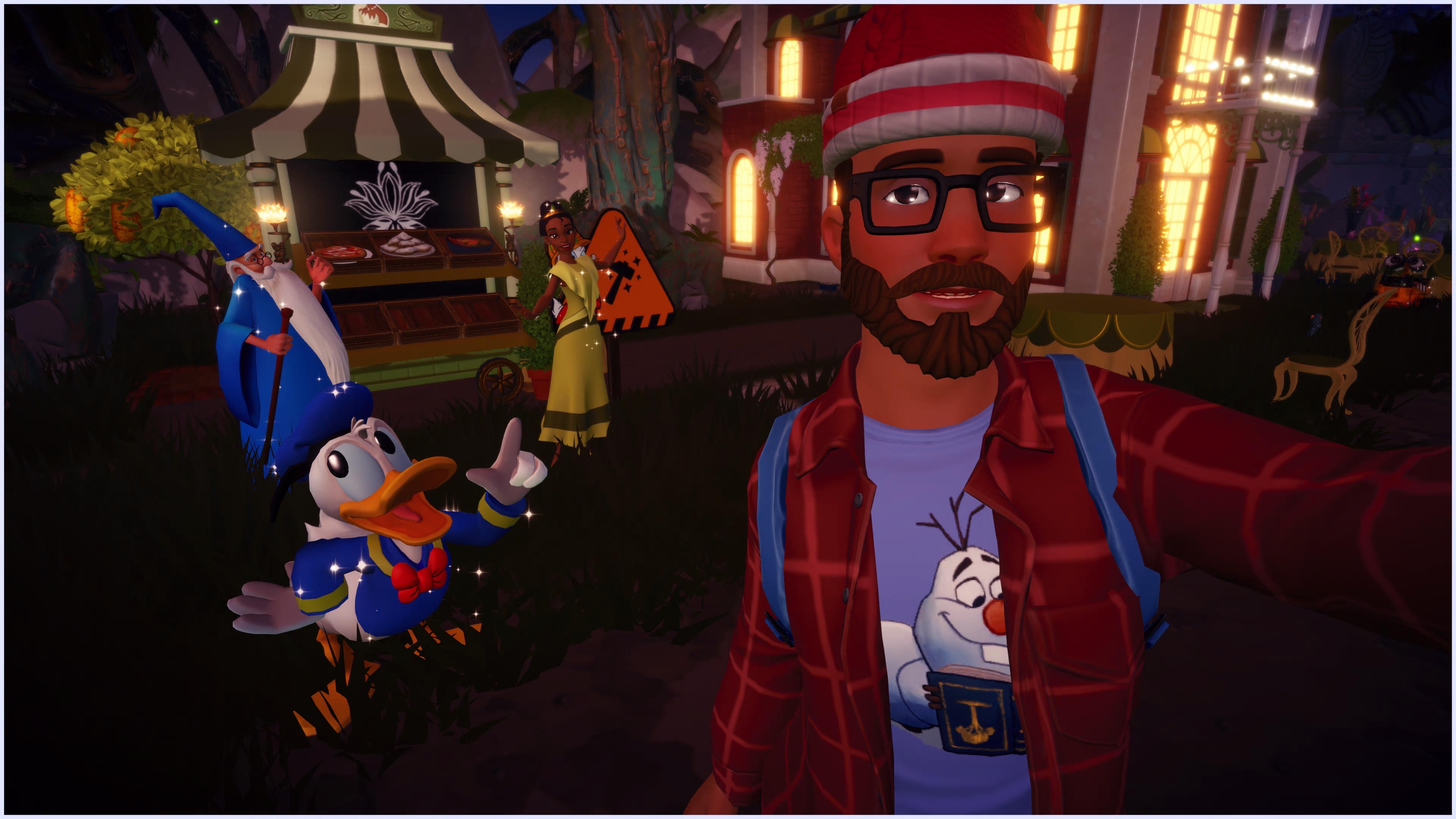
Disney Dreamlight Valley is a life-simulation and adventure game by Gameloft (think Animal Crossing, but with Disney and Pixar characters). You restore a magical valley that’s been overtaken by darkness, befriend characters like Mickey Mouse, Moana, and Remy from Ratatouille, complete quests, farm crops, cook meals, and customize your home. It’s relaxed, charming, and surprisingly deep once you start tracking friendship levels, ingredient sources, and quest chains across a dozen characters.
It’s also the kind of game where you’re constantly looking things up. What does a red fox eat? Which biome has thistles? How do I actually complete the “Mystical Cave” friendship quest for Merlin?
The game has a community-maintained wiki at dreamlightvalleywiki.com with over 10,000 articles built up by players over the years. It’s thorough (I’ll give it that). But it’s still a wiki, which means you get pages of information that you have to read, cross-reference, and mentally stitch together yourself. It answers “what,” but rarely “how, specifically, for your situation right now.”
So what’s the proposal here? I wanted to ask a question in plain language and get a direct, synthesized answer from an assistant that already understood the game. Let’s talk about how I got there.
Getting to the Stack
My first instinct was straightforward: scrape the wiki and feed the content into a local “RAG” pipeline. RAG (Retrieval Augmented Generation) is essentially the technique of giving a model access to a document store so it can pull relevant context before responding, rather than relying entirely on what it learned during training (think of it as giving the model a library card instead of asking it to remember everything from memory), which on the surface seemed like exactly the right fit for this problem.
I found a MediaWiki scraper, pointed it at the site, and watched every request come back with a 403 (the HTTP status code for “access denied”) because the wiki is hosted on Fandom, which fronts everything behind Cloudflare, and Cloudflare blocked the scraper entirelyYou
Given that the scraping route was a dead end, I had to rethink the approach, and the pivot came from remembering that the Dreamlight Valley wiki, like most wikis, runs on MediaWiki (the same software that powers Wikipedia), which has a proper API for searching and retrieving article content, and, as it turns out, someone has already built an MCP server for it.
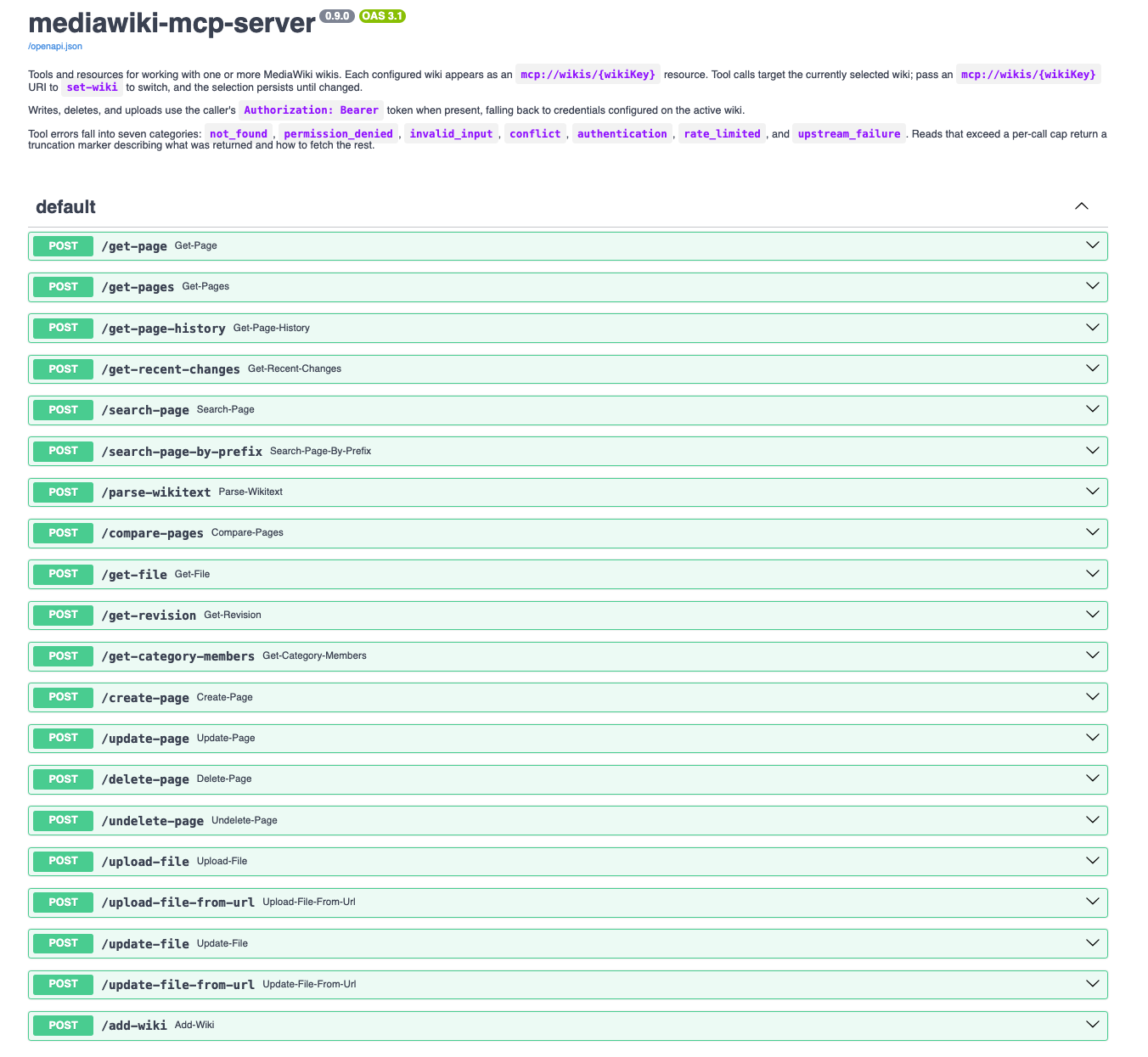
MCP, or Model Context Protocol, is Anthropic’s open standard for connecting AI models to external tools and data sources. Think of it as a kind of “universal plug” standard — instead of every tool needing its own custom integration, anything that speaks MCP can be wired up to any model that also speaks MCP. The MediaWiki MCP server from Professional Wiki exposes the MediaWiki API as a set of MCP tools an AI model can call directly: search, get article content, and look up linked pages, which essentially solved the data access problem. However, that’s when I hit the second wall: OpenWebUI, the open-source chat interface I use for interacting with local models, doesn’t natively speak MCP. It expects tools to be exposed as an “OpenAPI-compatible” HTTP server (essentially a standard REST API with a JSON schema it can autodiscover), and MCP servers communicate over stdio by default, not HTTP, so I needed something to bridge the two protocols.
The bridge is mcpo, a Python package that proxies an MCP server and exposes all of its tools as a standard OpenAPI spec over HTTP, complete with auto-generated interactive docs (which OpenWebUI uses directly to understand what tools are available and how to call them). You point it at an MCP server, register the mcpo endpoint in OpenWebUI, and suddenly the two systems can talk, with one layer of indirection between them connecting the entire chain.
The Infrastructure
So what does that actually look like in practice? I containerized both services (the MediaWiki MCP server and the mcpo proxy) and wired them together with Docker Compose. The final request chain looks like this:
flowchart LR
    A([OpenWebUI]) --> B[mcpo\nOpenAPI proxy]
    B --> C[MediaWiki\nMCP Server]
    C --> D([dreamlightvalleywiki.com])
Now, I spend my days as an SRE thinking about how systems fail, what breaks when dependencies change, and where visibility quietly disappears. That mindset doesn’t stay at the office, and even for a homelab project about a Disney game, I wanted containers I could trust and builds I could reason about. So there are a few things woven into these Dockerfiles worth calling out.
The Containers
Both Dockerfiles pull from my own private GitLab container registry rather than directly from Docker Hub:
1FROM gitlabregistry.web.krauza.cloud/docker-images/python:latest
2FROM gitlabregistry.web.krauza.cloud/docker-images/nodejs:latest
Think about it this way: every time you pull python:latest from Docker Hub, you’re essentially trusting that whatever is in that tag today is the same thing that was there yesterday. And typically, it is — but you have no real way to verify that. By pulling from a registry I control, built from upstream sources I’ve already scanned and promoted on a schedule I manage, I know exactly what’s in the base layer, and a compromised or silently mutated public image won’t automatically become the foundation of my containers.
The mcpo container is minimal by design:
1FROM gitlabregistry.web.krauza.cloud/docker-images/python:latest
2
3RUN apk upgrade --no-cache && \
4    pip install mcpo==0.0.20
5
6WORKDIR /app
7USER nobody
8ENTRYPOINT ["mcpo"]
The version pin on mcpo==0.0.20 is deliberate. Without a pin, every rebuild pulls whatever is current on PyPI at build time, which means a broken or compromised newer release can silently land the next time I trigger a build, so pinning ensures every build produces the same artifact and removes that uncertainty entirely. Of course, the tradeoff is that I have to consciously bump the version when I want to upgrade, which adds a small amount of maintenance overhead, but for something running in my homelab, that’s a fine trade.
The MediaWiki MCP server is a TypeScript application, and it gets a two-stage build (the second stage being where the supply chain hardening really earns its keep):
 1# ----- Build Stage -----
 2FROM gitlabregistry.web.krauza.cloud/docker-images/nodejs:latest AS builder
 3WORKDIR /app
 4
 5COPY package.json package-lock.json tsconfig.json ./
 6COPY src ./src
 7RUN npm ci --ignore-scripts && npm run build
 8
 9# ----- Production Stage -----
10FROM gitlabregistry.web.krauza.cloud/docker-images/nodejs:latest
11
12WORKDIR /app
13COPY --from=builder /app/dist ./dist
14COPY package.json package-lock.json ./
15COPY server.json ./
16RUN npm ci --omit=dev --ignore-scripts
17
18ENV NODE_ENV=production
19ENV PORT=8080
20ENV MCP_TRANSPORT=http
21ENV MCP_BIND=0.0.0.0
22
23EXPOSE 8080
24CMD ["node", "dist/index.js"]
The first stage has everything needed to compile TypeScript: the compiler, dev dependencies, and the full node_modules. The second stage starts completely clean, copies only the compiled output, and installs only production dependencies, meaning the toolchain, the dev tooling, and all of the intermediate build artifacts never make it into what you actually ship. This is valuable for two reasons: the production image is smaller, and there’s meaningfully less attack surface if the container is ever compromised (a node_modules full of dev tooling is a much larger target than one containing only what’s needed to run). npm ci enforces the lockfile throughout, so the dependency tree is deterministic at every step.
The server is pointed at the Dreamlight Valley wiki via a config file:
 1{
 2  "defaultWiki": "dreamlightvalleywiki",
 3  "wikis": {
 4    "dreamlightvalleywiki": {
 5      "sitename": "Disney Dreamlight Valley",
 6      "server": "https://dreamlightvalleywiki.com",
 7      "articlepath": "",
 8      "scriptpath": ""
 9    }
10  }
11}
Routing Through Squid
And then finally, one more layer: all outbound network traffic during Docker builds routes through a Squid proxy on the home network. Squid is a caching and forwarding proxy that’s been around for decades, and configuring the Docker daemon to route build traffic through it means every build goes through it automatically, without individual containers opting in.
The primary benefit is visibility: Squid logs every hostname a build reaches out to (the package registries, the CDNs, the dependency mirrors) so if a postinstall script reaches out to an address that has nothing to do with the package it’s installing, that shows up in the logs and becomes the kind of signal that would otherwise be completely invisible. Right now I’m using it primarily for inspection rather than enforcement, but adding ACLs (Access Control Lists, essentially a whitelist of approved destinations) to block unexpected outbound connections is a straightforward next step when I want it.
Making the Model Actually Useful
So at this point we have a working stack: OpenWebUI can talk to mcpo, mcpo talks to the MediaWiki MCP server, and the MCP server can query the Dreamlight Valley wiki. What we don’t have yet is an AI that’s actually helpful, and getting there took more iteration than I expected.
First up: model selection. Llama 3 was my first attempt (a solid general-purpose model, but one where tool use isn’t really its strength). It could see the MediaWiki search tools in context but was inconsistent about actually calling them, and it would often just answer from training data instead. That’s how I ended up getting a detailed explanation of the natural habitat of real foxes when I asked about in-game ones.
Qwen worked significantly better. Being that it’s trained to be more naturally tool-aware, it consistently reached for the search tools rather than guessing from its training data. However, Qwen has a “thinking” mode (an extended reasoning phase where it works through the problem before responding), and for complex analytical work, that’s genuinely useful. For “look up something in a wiki and summarize it,” it was essentially pure overhead: the model would spend time debating with itself about which search terms to try before running a single query, response times ballooned, and the quality was no better for it. OpenWebUI lets you configure the thinking level per chat session, so I turned it off entirely for this workspace. This is a retrieval task, not a reasoning task, and disabling thinking dropped response times substantially. The tradeoff is that for genuinely ambiguous questions, the model may be slightly less careful about how it interprets them, but for a game assistant, that’s an acceptable compromise.
Next up: the system prompt. Even with the right model and tools in place, the results were still off. Without any context, asking “What days do red foxes appear?” got me wildlife biology, because the model had no idea it was operating inside a video game. I needed a system prompt that did three things: give the model domain context, teach it how to search effectively, and tell it how to handle quest questions.
For domain context, I asked Claude to help draft a knowledge base document, ddlv.md, that explains what Dreamlight Valley is, how its various systems work, and what kinds of questions the assistant should expect. That gets uploaded directly into the OpenWebUI “workspace” and grounds the model in the right frame of reference before any conversation starts.
For search quality, the issue was that the MediaWiki search API does literal string matching (it doesn’t do anything semantically “smart”), which means “red foxes” won’t find the “Red Fox” article because the wiki titles things in singular form, so the fix was baking search term normalization into the prompt: strip plurals and extra qualifiers before searching, so “red foxes” becomes “red fox” and “watering can upgrades” becomes “watering can,” a small change that immediately improved result quality across the board.
And then finally, quest handling. When I asked for help completing a quest, the model would search for phrases like “how to complete the Mysterious Cave quest” (which returns nothing, because no wiki article is titled that way), so the better approach was to search for the quest name directly, retrieve that page, and then recursively follow the linked articles (character pages, item pages, biome pages) to synthesize everything into a single coherent walkthrough. Once I baked that strategy into the prompt, the assistant went from returning empty results to producing structured, step-by-step guides.
The full system prompt that pulls all of this together:
The OpenWebUI Workspace
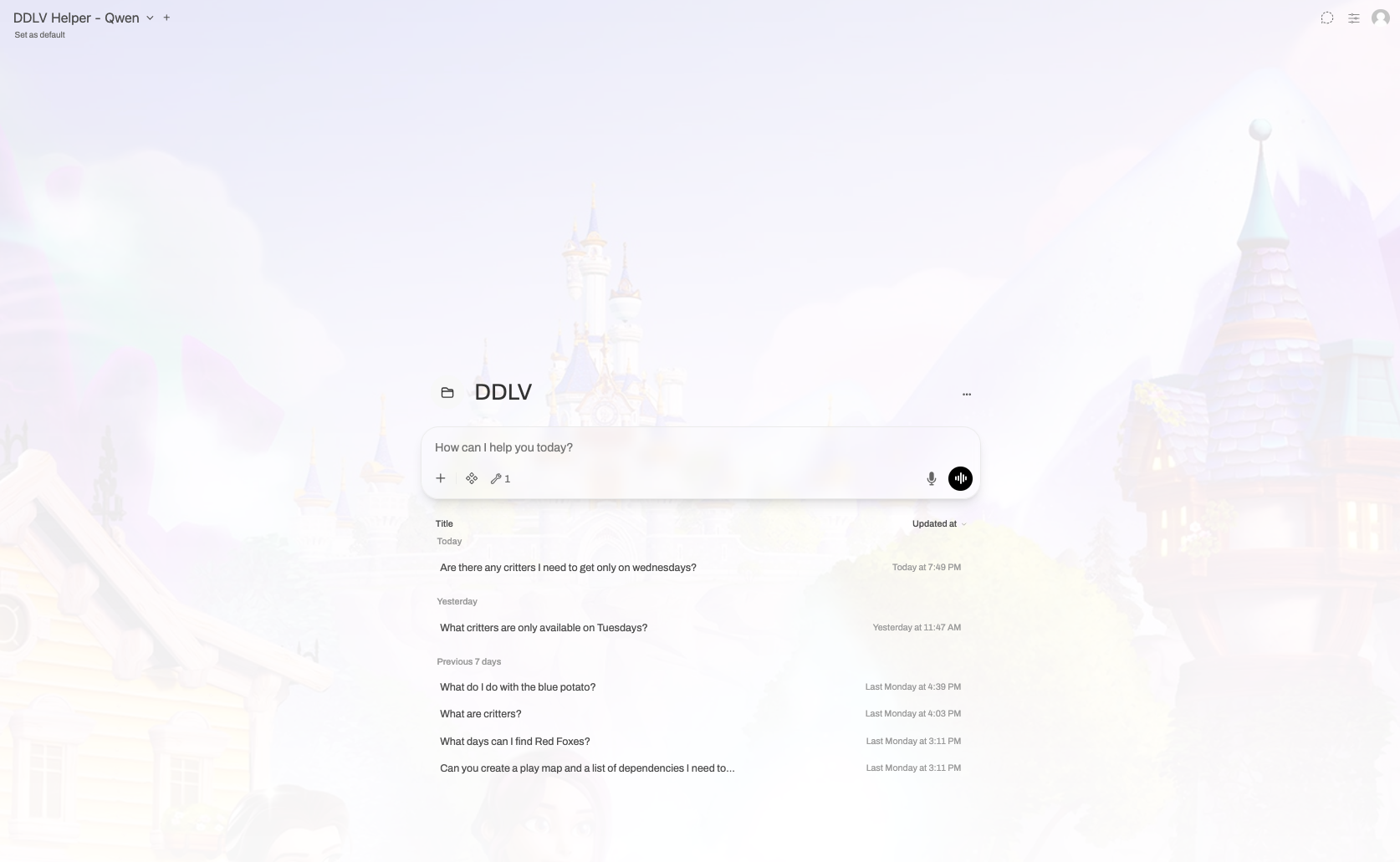
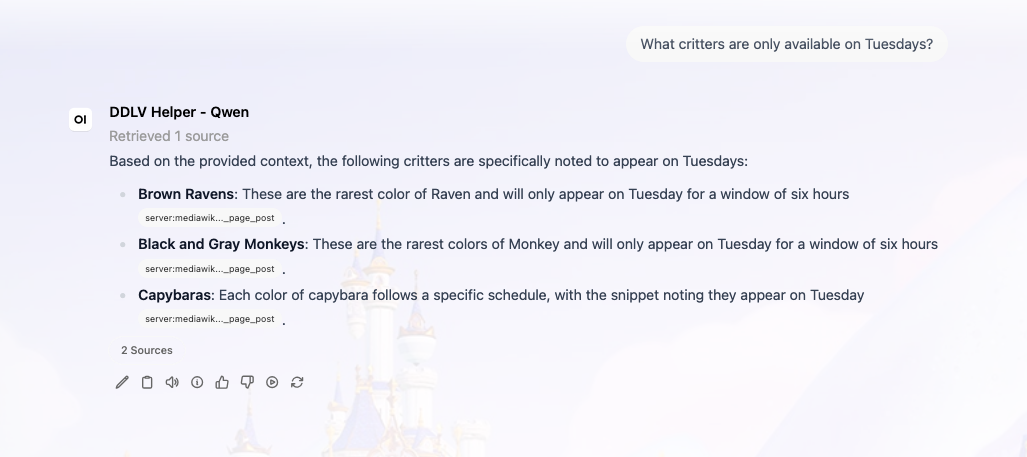
OpenWebUI’s “workspace” feature lets you create isolated chat environments, each with their own model, system prompt, knowledge base, and tool configuration, essentially a dedicated context that doesn’t bleed into other conversations. I set up a workspace specifically for Dreamlight Valley, pointed it at Qwen (with “thinking” disabled), loaded in the ddlv.md knowledge base, and registered the mcpo endpoint so the model has live access to the wiki, meaning that when I open it, the model already knows what the game is, how to search the wiki, and how to handle quest questions without any setup on my end.
The Point of All This
This stack — OpenWebUI, a local Qwen model, an MCP server, and an mcpo proxy — is not business software. It doesn’t improve anyone’s quarterly numbers, it doesn’t automate a workflow that costs the company money, and it helps me play a game about planting flowers with Mickey Mouse, and I think that’s kind of the whole point.
AI is genuinely good at synthesizing information from a variety of sources and returning it in response to a natural language question, which is exactly what you need when you’re mid-session in a game and don’t want to spend ten minutes cross-referencing a wiki. Additionally, the tools that make this possible are free and open source, and the compute cost is essentially zero once you have hardware that can run local inference.
You don’t need a business case to build something useful with these tools; you just need a problem that’s annoying enough to be worth solving, even if that problem is that tabbing out to look something up breaks the flow of a cozy game about restoring a magical valley. For me, that tradeoff was worth every hour of tinkering it took to get here.
Source code for the MCPO server container and MediaWiki MCP configuration are available in their respective repositories.